
MIDI Configuration
The MIDI section of Settings is where you connect devices, set the active key range, and configure control mappings for hands-free control.
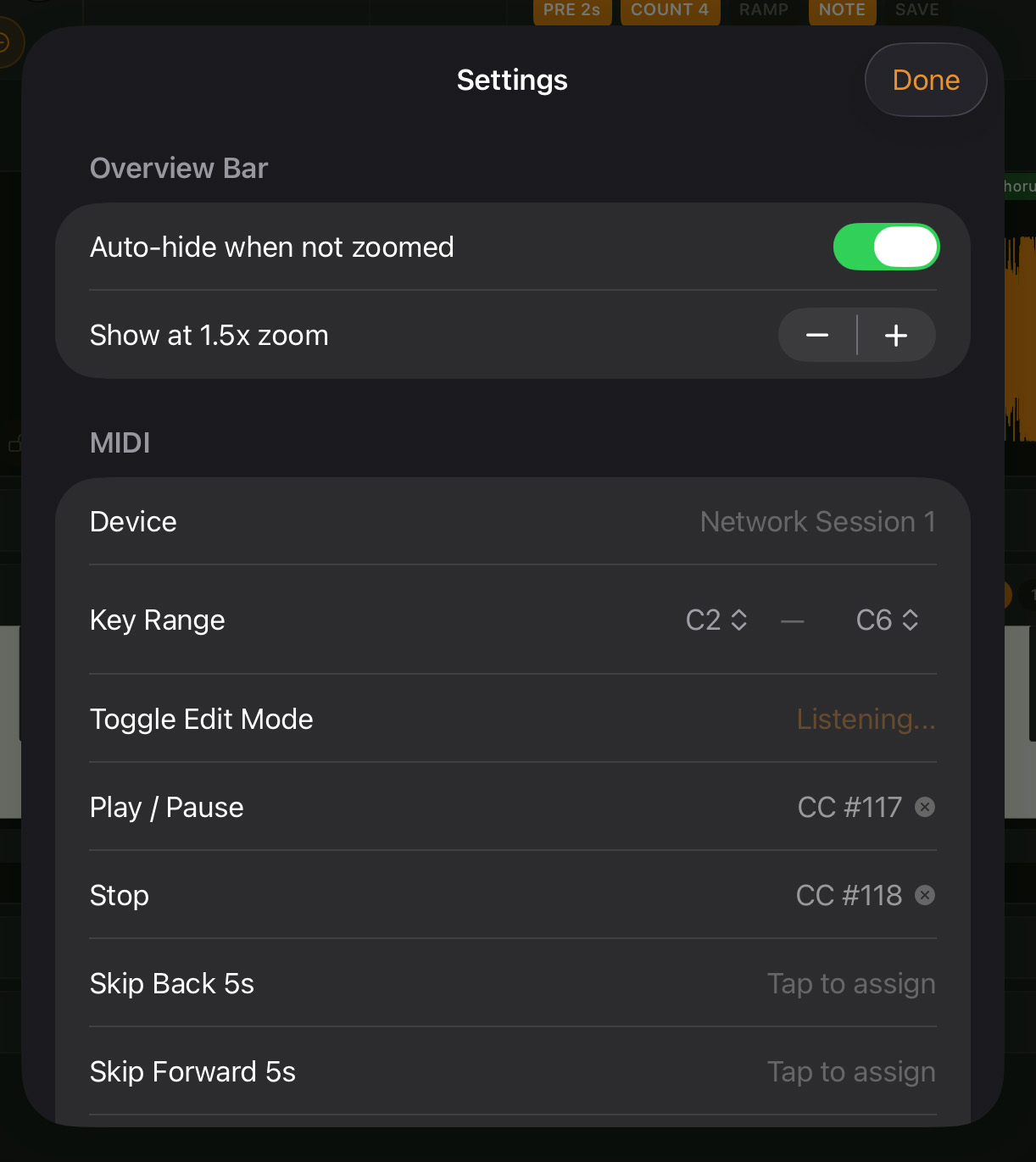
Device Selection
NoteHound detects all CoreMIDI devices currently connected to your iPad or iPhone:
- Open Settings
- Under MIDI, tap Source
- Select your controller from the list
A green dot indicates a connected device. NoteHound auto-connects if only one device is available. Only one device can be the active input at a time. If you switch controllers, return here to change the selection.
Key Range
The key range defines which MIDI notes NoteHound responds to. Notes outside this range are ignored.
- Default range: C2 to C6
- Adjustable range: C0 to C9
To adjust:
- Set the Low Note to define the lowest note NoteHound listens to
- Set the High Note to define the highest
Unmapped notes within the range trigger note on/off for the keyboard and piano roll. This is useful if your controller has a fixed range, or if you want to limit NoteHound to only respond to a specific octave region.
Control Mappings
The Mappings section lists all 19 assignable actions and their current MIDI assignments. Each row shows an app action and its mapped MIDI trigger. From here you can:
- Tap a row to enter Learn Mode (“Listening…” pulses in orange) — press any MIDI key or CC on your controller to assign it
- Tap the X button to clear an individual mapping
- Tap Reset to Defaults to restore default mappings (CC 117 for Play/Pause, CC 118 for Stop)
Mappings support both note on and control change (CC) triggers. All mappings are saved to disk and persist across sessions.
See MIDI Learn Mode for step-by-step instructions on assigning controls.
MIDI Indicators in Header
The two dots in the header bar show connection status at a glance:
- Green — device connected
- Orange (pulses for 100ms) — MIDI data being received
Tip: After configuring mappings, test them before a practice session — it’s much faster to fix a wrong mapping at your desk than to realize mid-session that Stop is mapped to the wrong button.