
MIDI Learn Mode
MIDI Learn lets you assign physical buttons, knobs, or keys on your controller to specific NoteHound actions — so you can control playback, looping, and navigation hands-free while playing your instrument.
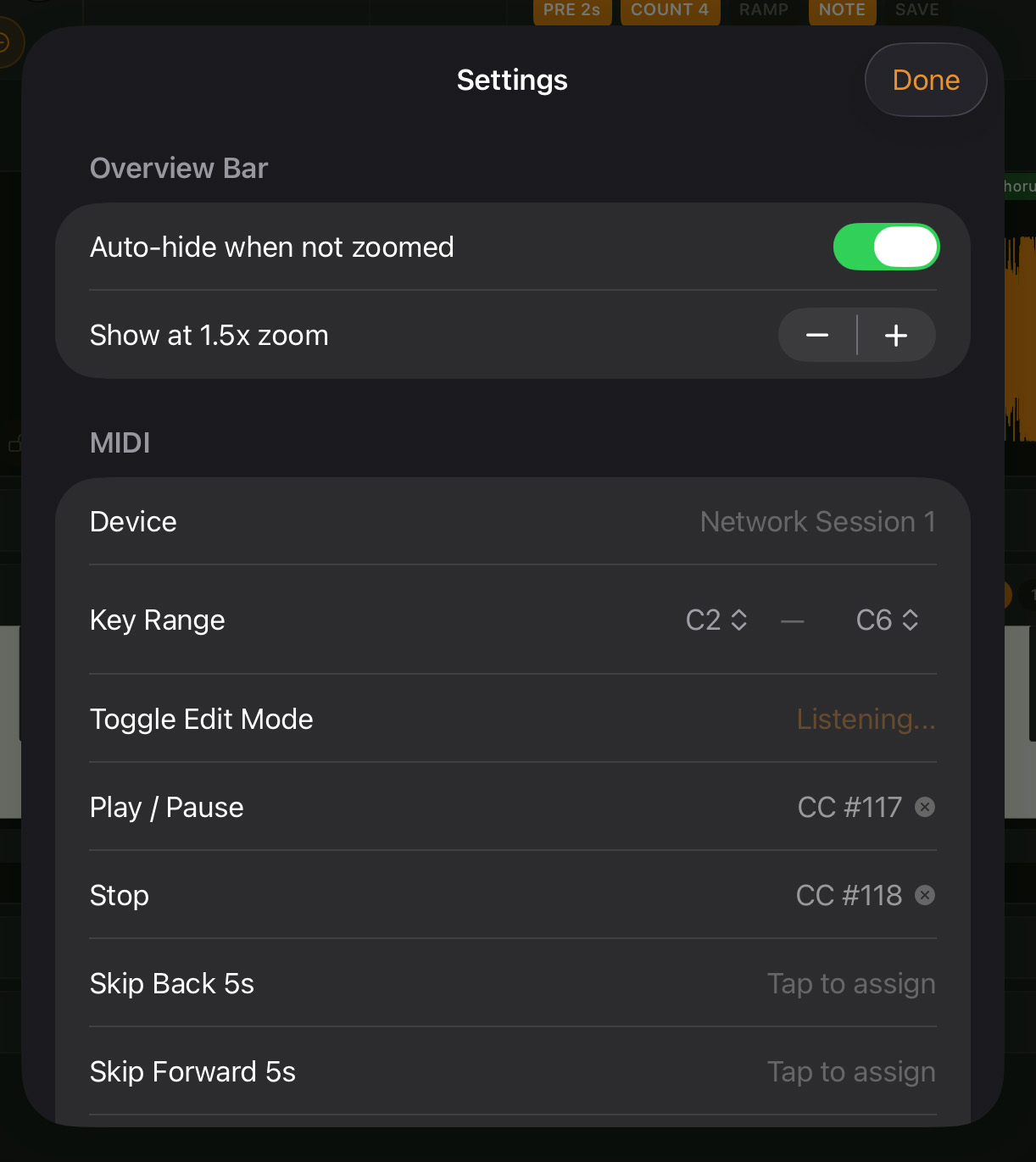
Setting Up a Mapping
- Open Settings and navigate to the MIDI section
- Tap the action row you want to map (e.g., “Play / Pause”)
- The row shows “Listening…” with a pulsing orange indicator
- Press the desired button, key, or knob on your MIDI controller
- The mapping is saved automatically
Mappings are saved to disk and persist across sessions.
All 19 Mappable Actions
| Action | Description | Default Mapping |
|---|---|---|
| Play / Pause | Toggle playback | CC 117 |
| Stop | Stop playback and reset position | CC 118 |
| Skip Back 5s | Rewind 5 seconds | — |
| Skip Forward 5s | Advance 5 seconds | — |
| Toggle Loop | Enable/disable A-B looping | — |
| Set Marker A | Place loop start at playhead | — |
| Set Marker B | Place loop end at playhead | — |
| Speed +0.05 | Increase playback speed by 0.05x | — |
| Speed -0.05 | Decrease playback speed by 0.05x | — |
| Speed (Knob) | Set speed via continuous CC value (0-127) | — |
| Seek (Knob) | Set playback position via continuous CC value | — |
| Octave Up | Shift keyboard up one octave | — |
| Octave Down | Shift keyboard down one octave | — |
| Next Sound | Cycle to next synth preset | — |
| Toggle Edit Mode | Toggle keyboard edit mode on/off | — |
| Toggle Loop Link | Toggle loop chain mode | — |
| Next Loop | Advance to next loop pair | — |
| Previous Loop | Go to previous loop pair | — |
| Speed Preset (Slow) | Jump to the slow speed preset | — |
Default Mappings
NoteHound ships with two default mappings out of the box:
- CC 117 — Play / Pause
- CC 118 — Stop
Tap Reset to Defaults in the MIDI settings section to restore these defaults at any time.
Supported MIDI Message Types
- Note messages — assign any note (useful for sustain pedals and drum pads)
- CC (Control Change) messages — assign any CC number from any channel
Removing a Mapping
Tap the X button on any mapped action row to clear its assignment.
Tip: A sustain pedal connected via a MIDI interface makes a great Play/Pause trigger — you can start and stop playback with your foot while keeping both hands free to play along.